How to Choose the Right TV Wall Mount for Your Living Room
Why it works: "TV mounting" is a high-volume search term. You can highlight the difference between fixed, tilt, and full-motion mounts.
www.handyman.sg
2/2/2026
1. Understanding the Three Main Types of Mounts
Before you look at brands or prices, you must decide which style of movement your room requires.
A. Fixed (Low-Profile) Mounts
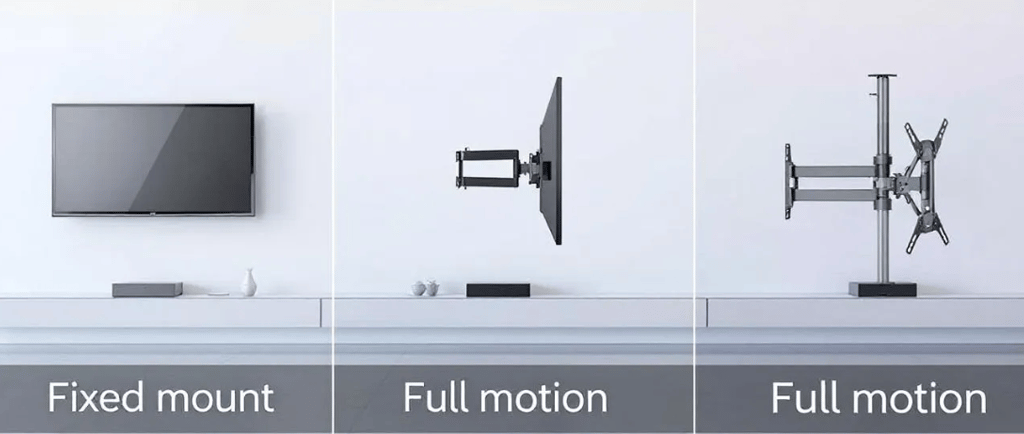
The fixed mount is the simplest and slimmest option. It holds the TV flush against the wall, often leaving less than an inch of space.
Best for: Rooms where the seating is directly in front of the TV and you can mount the screen at the perfect eye-level height.
Pros: Very sturdy, the most affordable option, and provides the cleanest "picture frame" look.
Cons: You cannot tilt or turn the TV. To plug in a new HDMI cable, you usually have to take the entire TV off the wall.
B. Tilting Mounts
A tilting mount allows you to angle the screen vertically (usually up to 15 degrees) while keeping it in a fixed horizontal position.
Best for: TVs mounted higher than eye level (like in a bedroom) or rooms with significant window glare.
Pros: Helps eliminate reflections from lights or windows and provides better viewing angles if you are lying down.
Cons: Limited movement; it does not turn left or right.
C. Full-Motion (Articulating) Mounts
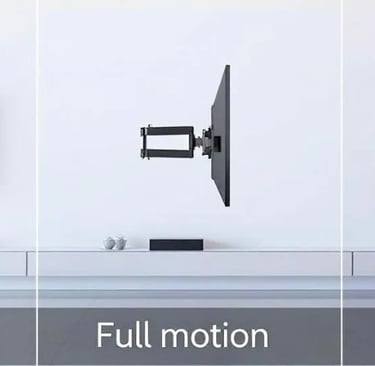
The "gold standard" of versatility. These mounts feature an arm that extends from the wall, allowing you to swivel the TV left and right, tilt it up and down, and even pull it closer to the sofa.
Best for: Open-concept HDBs where you might want to watch TV from the dining table or the living room sofa. Also ideal for corner installations.
Pros: Maximum flexibility; easy access to the back ports.
Cons: More expensive, more complex to install, and can look "bulky" from the side when extended.
2. The Technical Essentials: VESA and Weight
You can’t just buy any mount and hope it fits. You need to check two specific numbers on your TV’s manual or back panel.
The VESA Pattern
VESA (Video Electronics Standards Association) refers to the four threaded holes on the back of your TV. The pattern is measured in millimetres (e.g., 200x200, 400x400).
Pro Tip: Measure the horizontal distance between the holes, then the vertical distance. Your mount must match these dimensions.
Weight Capacity
Modern TVs are getting lighter, but a 75-inch screen still carries significant weight. Always choose a mount rated for at least 20% more than your TV's actual weight. This ensures the arm won't "sag" over time, especially with full-motion mounts.
3. Assessing Your Wall Type
(The Singapore Context)
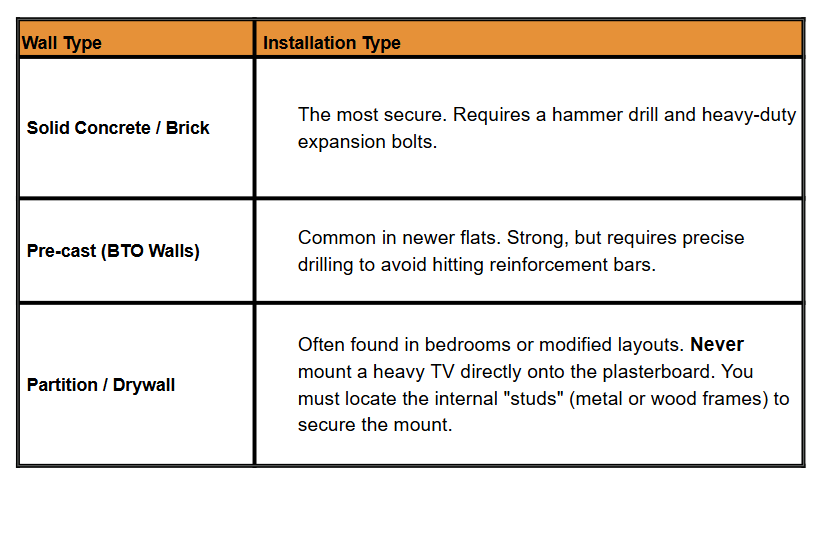
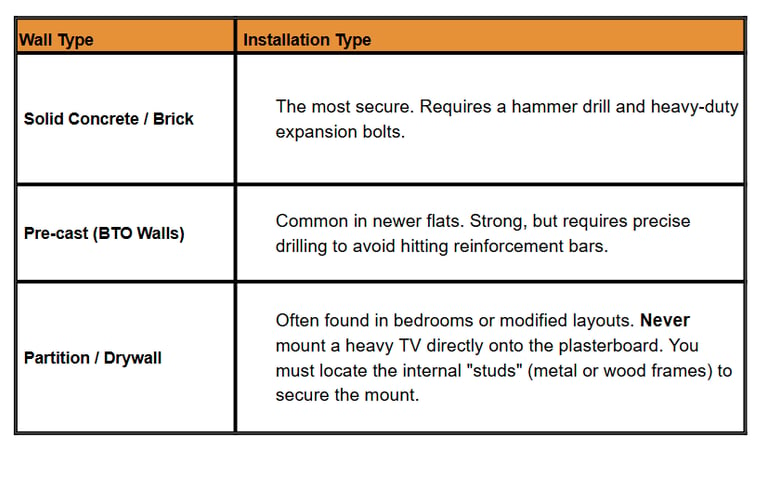
In Singapore, the wall you are mounting on dictates the tools and hardware required..
4. Finding the "Golden Height"
The most common mistake homeowners make is mounting the TV too high (the "Cervical Spine Strain" height).
The Rule of Thumb: When seated on your sofa, your eyes should be level with the centre of the screen. For most Singaporean sofas, this means the centre of the TV should be roughly 100cm to 110cm from the floor.
5. Cable Management: The Finishing Touch
A beautiful wall-mounted TV can be ruined by a "rat's nest" of dangling black wires. You have three main options:
In-Wall Routing: Hiding cables inside the wall (expensive and often requires a contractor).
External Trunking: Plastic casing painted to match your wall colour (the most popular HDB choice).
Cable Sleeves: Fabric or mesh wraps that bundle the wires into one neat line.
6. Comparison Table: Which Mount Fits Your Lifestyle?
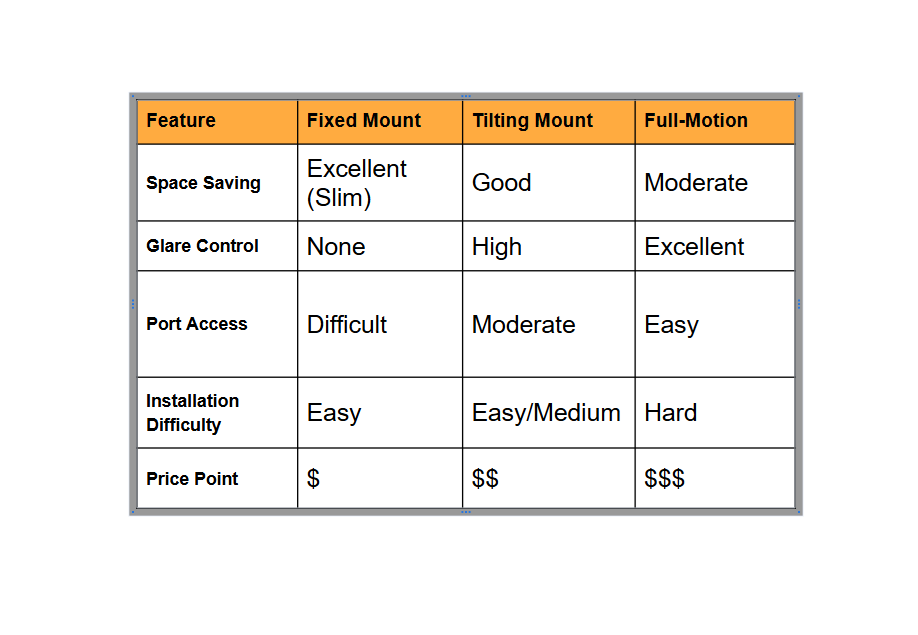
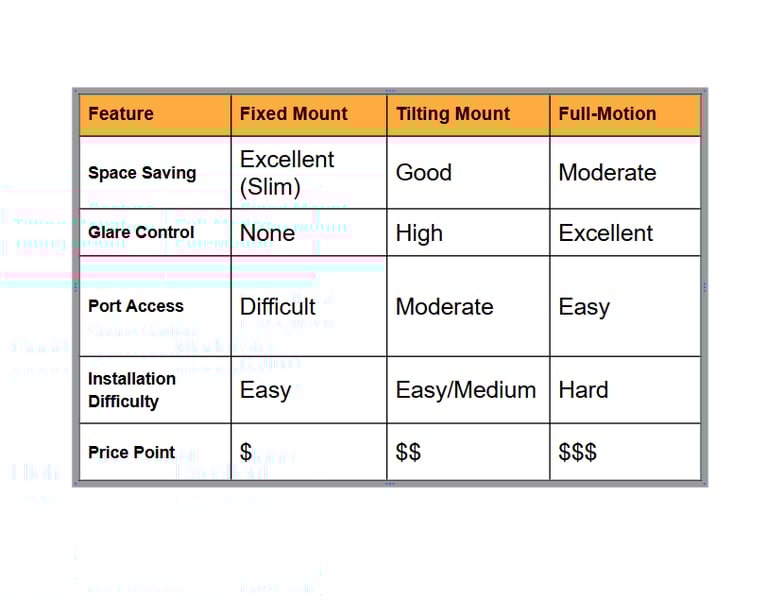
7. Common Pitfalls to Avoid
Using the wrong wall plugs: The "free" plugs included in cheap online kits are often low-quality. We recommend high-grade Fischer or expansion bolts for safety.
Ignoring the Ports: If your TV has rear-facing HDMI ports (instead of side-facing), a Fixed Mount might crush your cables. Check your port orientation first!
Levelling Errors: Even a 1-degree tilt is visible on a large screen. Always use a spirit level during the bracket installation.
Why Professional Installation Matters
While DIY is tempting, a TV is a high-value investment. A professional handyman doesn't just drill holes; they assess wall integrity, ensure perfect levelling, and provide the correct load-bearing hardware to prevent accidents
At www.handyman.sg, we’ve seen everything from "crumbly" partition walls to off-centre VESA patterns. We bring the professional tools (and the peace of mind) to ensure your living room looks like a showroom.
Ready to Upgrade Your Living Room?
Don't risk a "tilted" TV or a damaged wall. Let the experts handle the heavy lifting and precise measurements for you.
Would you like me to provide a quick price estimate for a professional TV mounting service for your HDB?
1. The Ideal Height: The "Eye-Level" Rule
The most common mistake is mounting the TV too high (the "fireplace" effect). This causes neck strain and reduces picture quality on many LED panels.
The Goal: Your eyes should be level with the center of the screen when seated.
The Magic Number: For most standard Singaporean sofas, the ideal center-of-screen height is approximately 105cm to 110cm from the floor.
How to measure: 1. Sit on your sofa in your natural viewing position. 2. Have someone measure from the floor to your eyes. 3. That measurement is exactly where the middle of your TV should be.
2. The Ideal Distance: The "4K Immersion" Rule
With modern 4K and OLED TVs, you can sit closer than you used to without seeing pixels. This is great for HDB living rooms which are usually 2.5m to 3.5m wide.
For 4K TVs: Multiply your screen size (inches) by 1.2 to 1.5.
For General Viewing: A simpler rule is to sit at a distance where the screen fills about 30° of your field of vision.
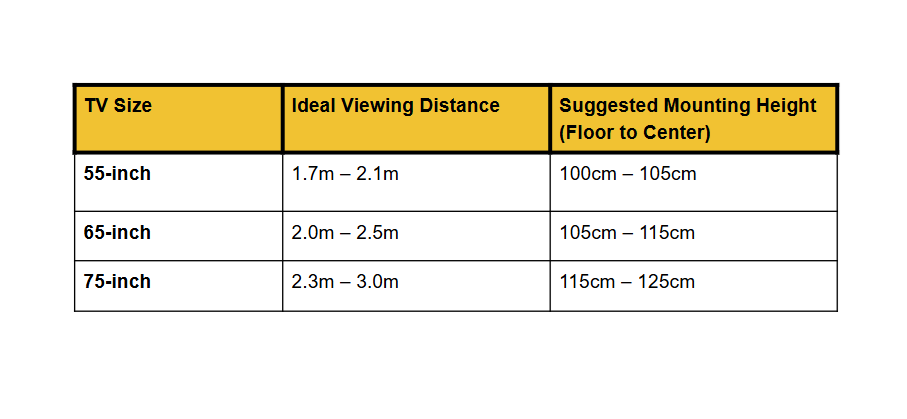
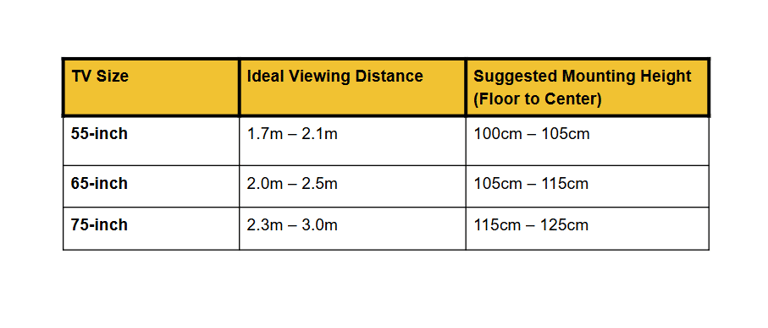
3. Quick Reference Table
If you don't want to do the math, use this guide for a standard HDB living room setup:
SERVICES
Expert handyman services for all your needs.
Contact
ABOUT
hello@handyman.sg (enquiry only)
aaron@handyman.sg
+65 8336 6682
Copyright © 2024 Arctic Breeze Engineering| UEN: 53493028W | Terms of Use | Privacy Policy
Arctic Breeze Engineering
71 Woodlands Ave 10, #05-16 Woodlands Industrial Xchange, Singapore 737743
Reno Guys Pte Ltd
71 Woodlands Ave 10, #07-10 Woodlands Industrial Xchange, Singapore 737743
+65 6993 8888
Email: aaron@renoguys.com.sg
Visit: www.renoguys.com.sg
BUSINESS / FACTORY OFFICE ADDRESS
Contact